EPANET 2.3 and more compatibility improvements
February has been another busy month of adding features and improving epanet-js. Some highlights include upgrading the core hydraulic engine to EPANET 2.3, deeper support for importing existing hydraulic models, and we’ve added a new XY Grid mode to allow you to view a network without a base map.
We are also excited to give our Founding Partners a permanent home on the epanet-js welcome screen and open up the selection toolkit with advanced hydraulic tracing.
Engine upgrade: EPANET 2.3
We have officially updated the epanet-js engine to the EPANET Toolkit 2.3.5. This keeps the app aligned with the latest advancements from the Open Water Analytics community.
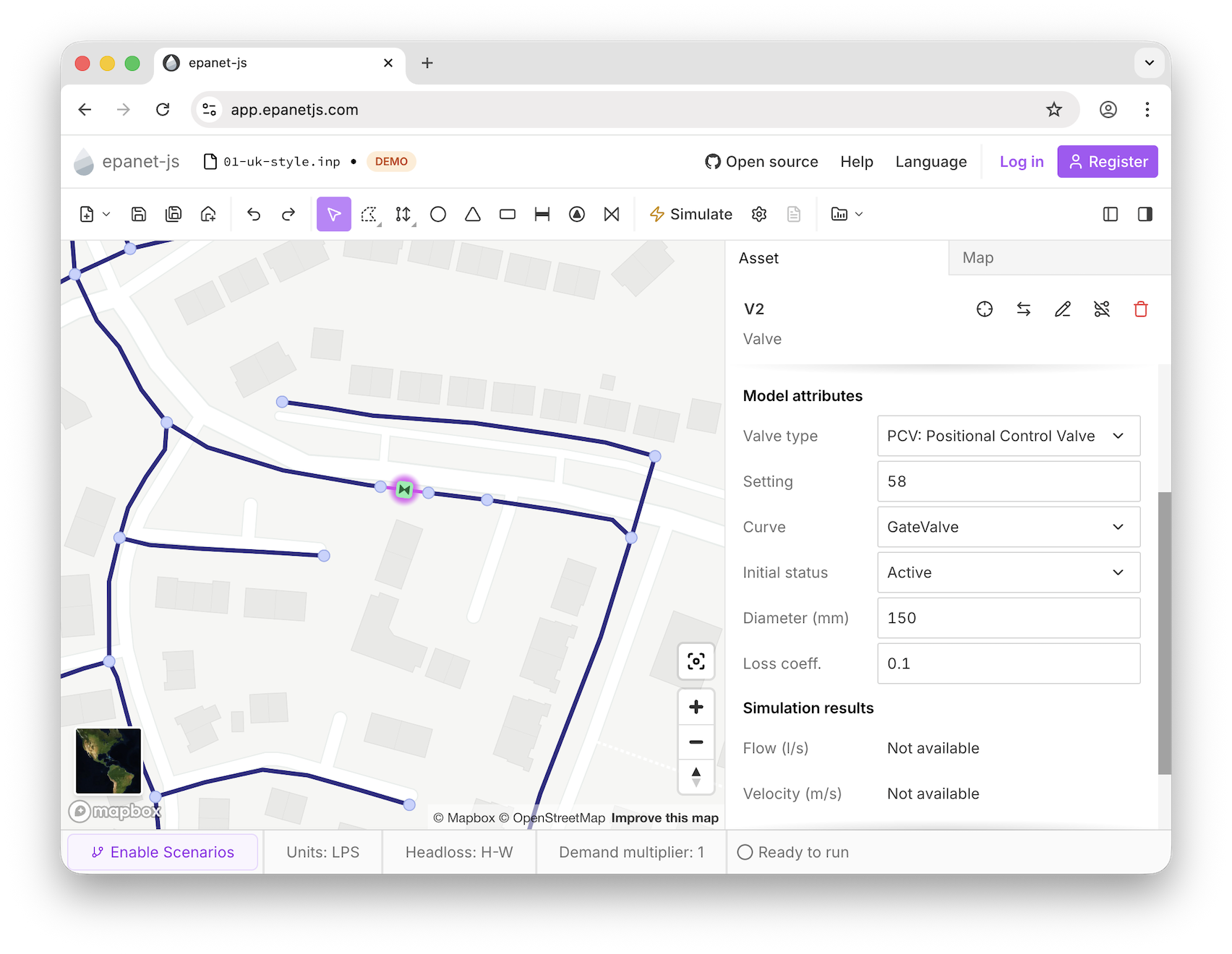
This upgrade is a major release from OWA and the first since 2019, when version 2.2 was released. While we are slowly exposing all the new capabilities of 2.3, this month marks the debut of the Position Control Valve (PCV). This new valve type uses a curve to relate its losses to a percentage-open setting, making it significantly easier to model partially open valves accurately.
Explore the engine: You can view the full EPANET 2.3 release notes here to see what else is coming to epanet-js.
Advanced simulation options
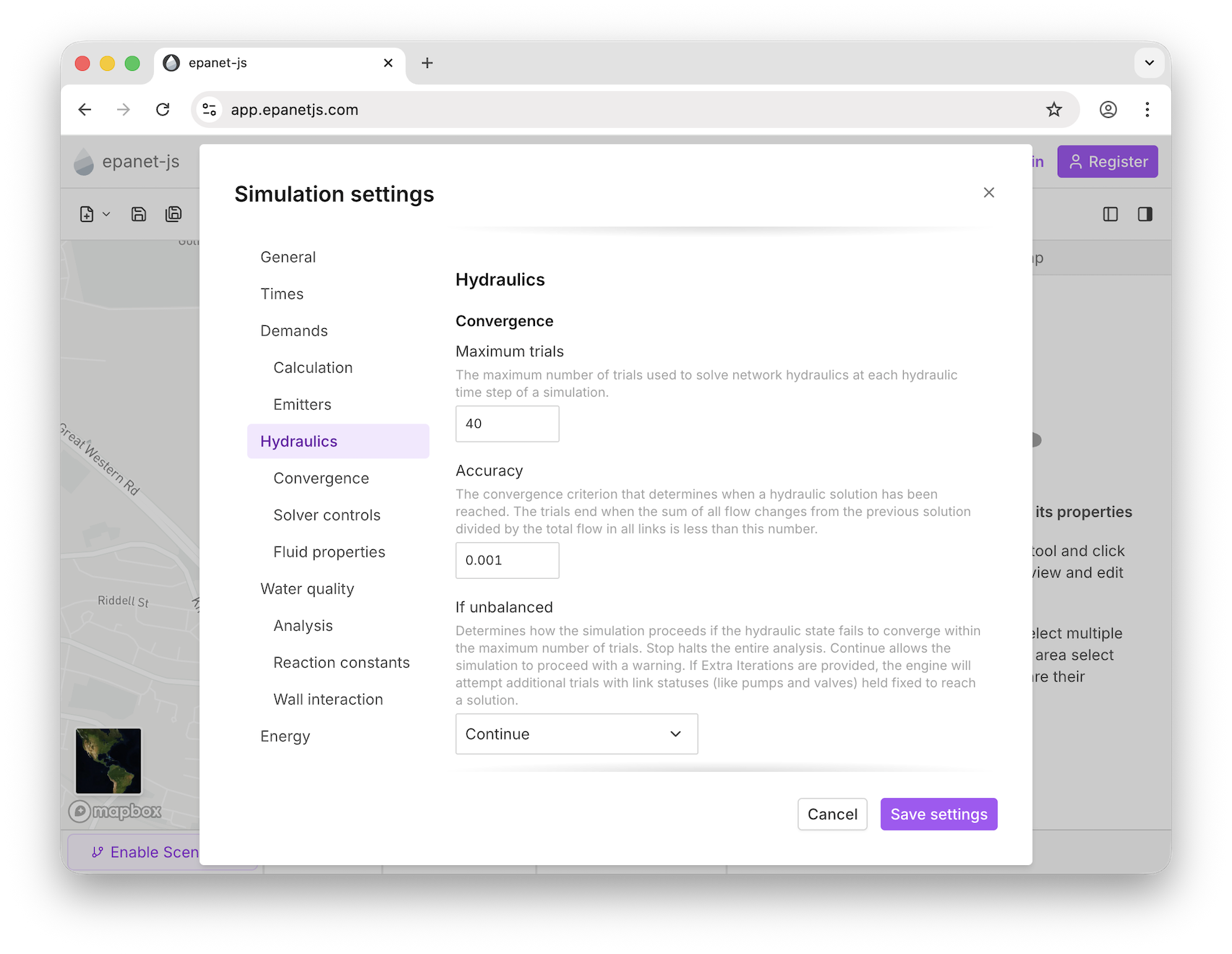
Alongside the engine update, we’ve performed a total overhaul of the Simulation Settings. Previously, you were limited to basic demand scaling and time controls. Now, we’ve opened up the majority of EPANET’s hydraulic and solver options:
- Pressure-Driven Analysis (PDA): You can now switch your demand model from Demand-Driven to Pressure-Driven. This allows you to see how your network actually behaves during low-pressure events—an essential tool for resilience planning.
- Solver Controls: Modify hydraulic convergence settings, solver tolerances, and fluid properties.
- Reporting & Times: Direct control over status reports and granular time step settings.
- Emitter Exponent: You can now globally modify the emitter exponent, perfect for modeling pressure-dependent leakage or irrigation systems.
A new home for Founding Partners
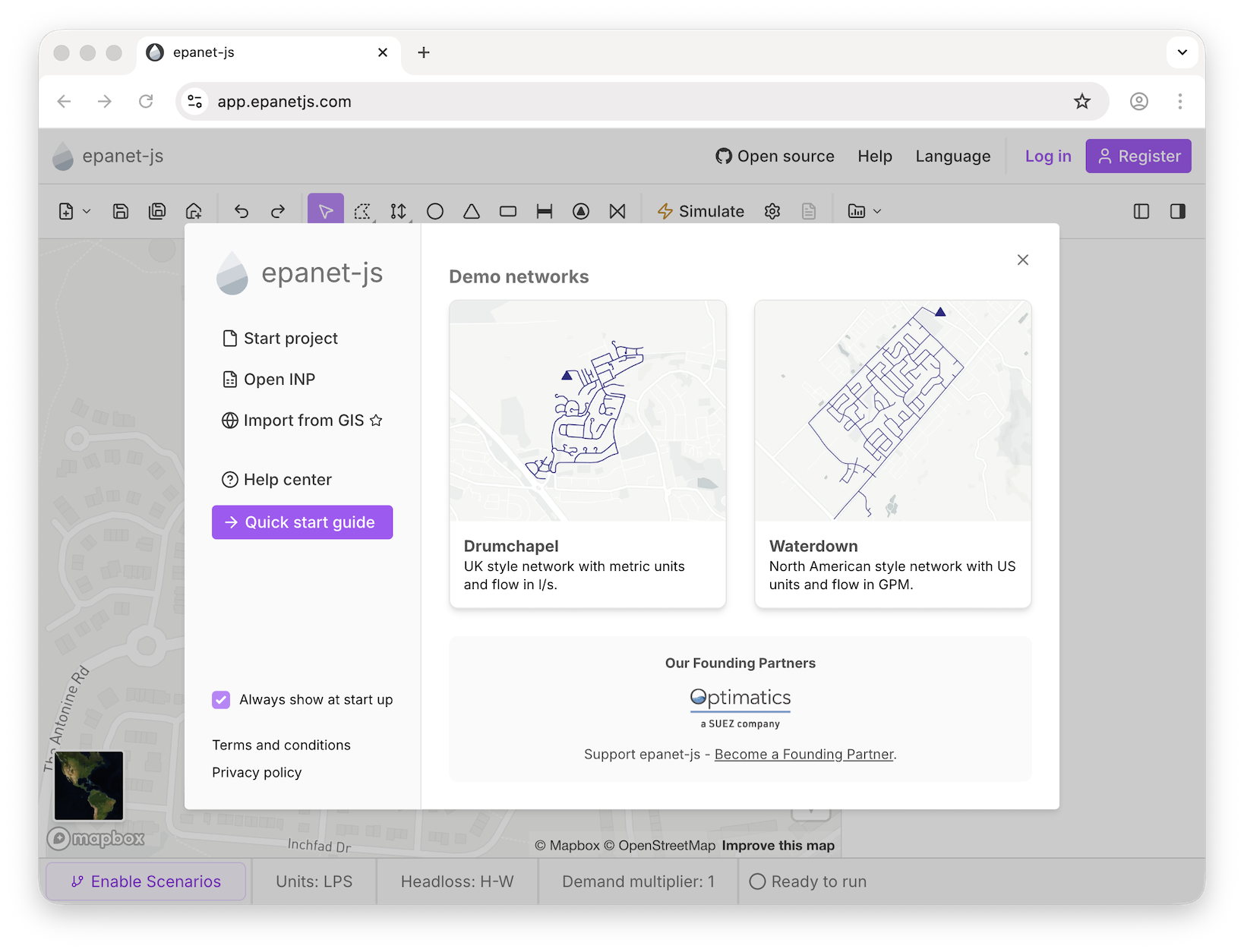
We believe that the future of hydraulic modeling should be built in the open. To honor the organizations helping us get there, we’ve added a dedicated Founding Partner section to the epanet-js welcome screen.
We are incredibly proud to re-announce Optimatics as our first Founding Partner. Their logo now greets every user, representing a shared commitment to open, professional modeling tools.
Join the future of modeling
We are looking for four more organizations to join Optimatics in steering the direction of epanet-js.
- Strategic influence: Monthly product calls and a private Slack channel with our dev team.
- Unlimited pro licenses: Equip your entire organization with epanet-js Pro.
- Industry visibility: Branding on the welcome screen, homepage, and newsletters.
Ready to steer the roadmap? Reach out at founders@iterating.ca.
Selection tracing
Visualizing and understanding the connectivity in a complex network can be a headache. We’ve added three new tracing tools to the toolbar to help you understand the flow and boundaries of your network:
- Upstream Trace: Follows the path from a selected asset back to the supply sources.
- Downstream Trace: Follows the flow of water down from a selected point.
- Boundary Trace: To help identify hydraulic zones, the trace spreads outward from your selection and stops only at control assets (pumps, tanks, valves like PRVs, or closed pipes).
The XY Grid for unprojected models
One of the biggest hurdles for new users has been coordinate projections. Until now, you had to use our external utility tool to reproject your models before they would display correctly on a base map.
We’re simplifying this process, and the first addition is being able to display your model unprojected on an XY grid.
- For New Projects: Choose between a Map or a Grid layout at the start.
- For Imports: Open an INP file and view it immediately on the grid without worrying about reprojecting.
Next, we will be working on selecting your projection system directly in the app to make this process even easier.
Libraries, geometry, and curves
We’ve added more support for curves and patterns in epanet-js. You now have three dedicated spaces for managing this data: the pump library, the curve manager, and the pattern manager.
The pump library
With the new pump library, you can now define multi-point pump curves and apply them to multiple pumps throughout your model. Within the library, you still have the option of defining a pump as a quick one-point or three-point curve, or you can do this directly on the asset—whichever fits your workflow.
In addition to the pump curves, you can also define pump efficiency curves inside the pump library.
The curve manager
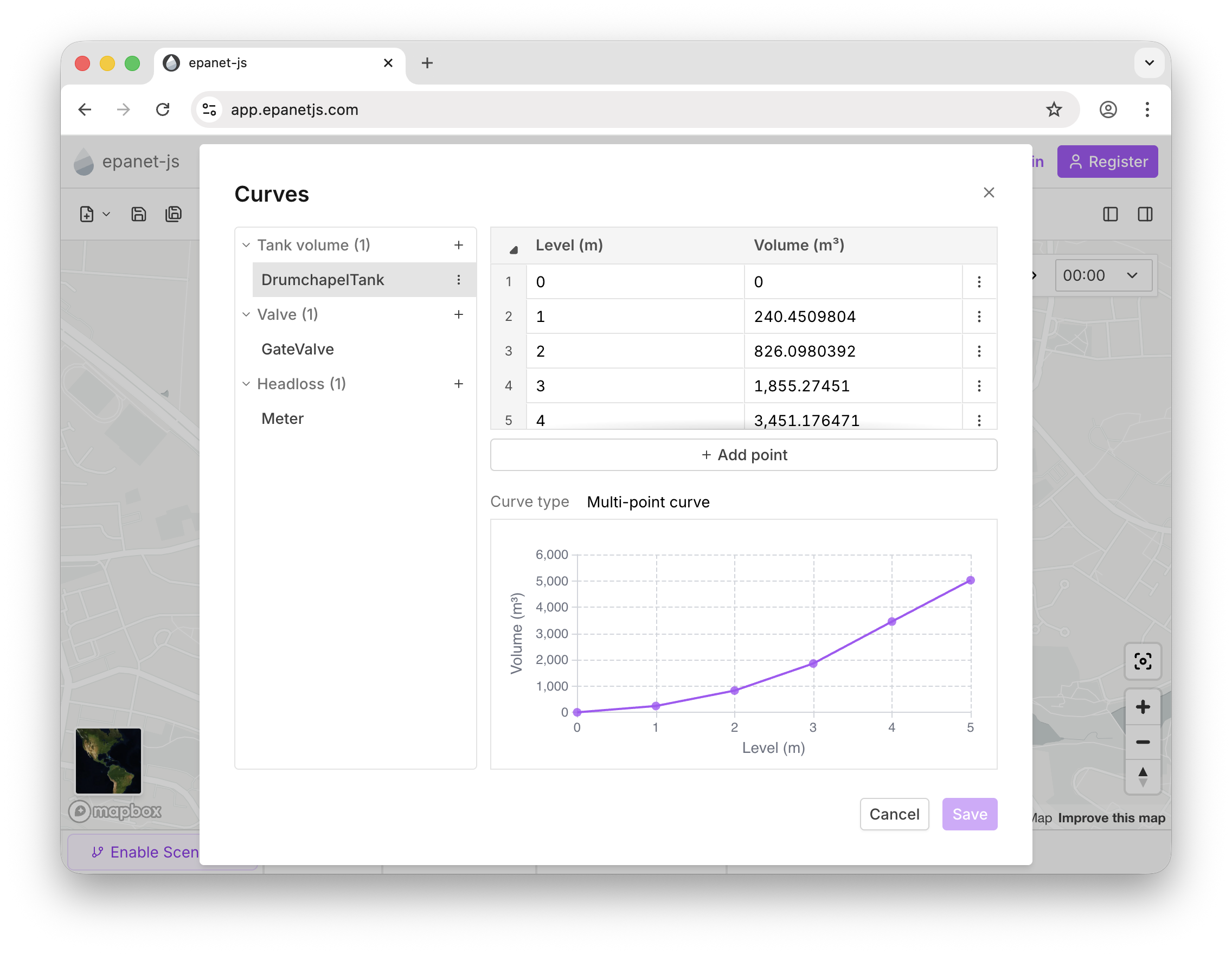
We’ve added a dedicated Curves section to the operational data tools in the toolbar. This allows you to view, edit, and delete all curves in your model in one place.
- GPV Support: We now support General Purpose Valves and their associated head loss curves.
- PCV Support: With the release of EPANET 2.3, there is a new Position Control Valve. In the curve manager, you can now define its % open vs. % full flow relationship.
- Tank Curves: Define non-linear tank shapes using curves for more accurate volume calculations.
Tank geometry
Not every tank is circular. You can now define tank geometry by Circular, Equal Area (for squares/rectangles), Curve, or Total Volume. We’ve also updated the UI to a 2x2 grid layout for Min/Max levels and volumes, making it easier to define the size of your tank and compare attributes.
We’ve also added the calculated total volume; this is helpful when, for example, you set the diameter and height and want to cross-reference the resulting total volume.
Emitters and patterns
- Emitters: Now fully supported! You can model variable demand based on pressure—essential for sprinklers, irrigation, or advanced leakage analysis.
- Reservoir head patterns: Reservoirs are no longer limited to constant values. Assign a pattern to model changing reservoir heads over time.
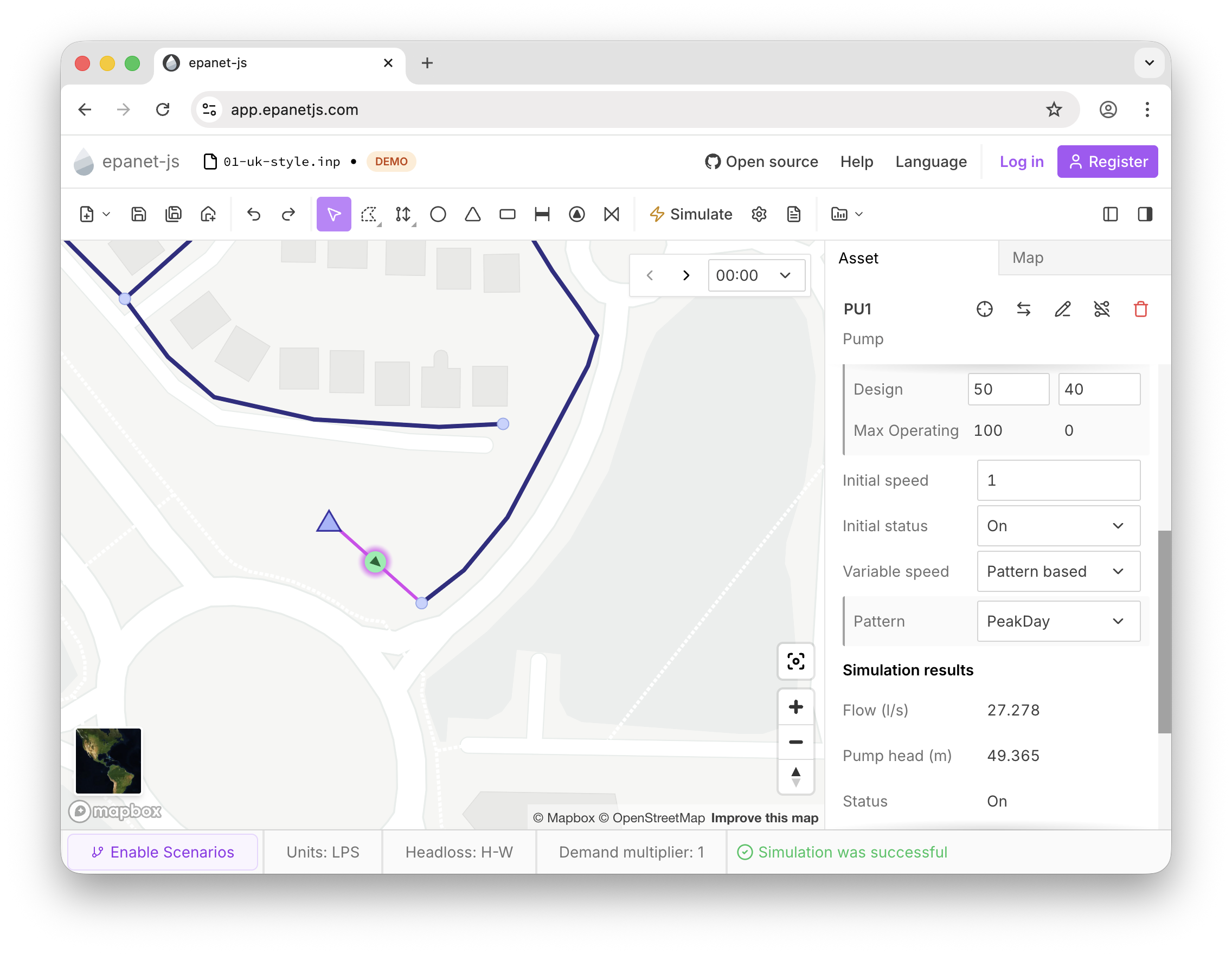
- Pump speed patterns: You can now assign variable speed patterns to pumps to match real-world on/off statuses or speed profiles.
Batch edit and selection filters
- Batch editing: Another highly requested feature is here. Select multiple elements and edit their attributes (like diameter, material, or roughness) all at once.
- Narrowing selections: If you have multiple asset types selected, you can now use the “pointer” icon in the asset tab to filter down to a specific type (e.g., just the Junctions).
- Property filtering: In the multi-property summary, clicking a specific value (like “150mm”) will automatically filter your map selection to only the assets sharing that property.
Improvements and fixes
- Try scenarios: You can now test the Scenario Management mode using our demo models (Drumchapel and Waterdown). It’s the perfect way to see how the Pro features work before upgrading.
- Data preservation: We now import and store Energy Price and Quality patterns so you don’t lose data when moving between epanet-js and other software.
- Draggable customers: Customer points can now be moved via click-and-drag.
Closing
February was all about upgrading our core compatibility, expanding your modeling toolkit, and making complex networks much easier to navigate.
What’s Next? We’re not slowing down! Over the next few months, we are bringing some major workflow improvements to epanet-js. First up, we are integrating reprojection directly into the app so you can drop any model in and place it on the map with zero external tools.
We are also working on:
- Customer points: Further improvements to allow editing and manually adding customer points.
- Model building tools: Streamlining the way you build new models—like drawing polygons, easily assigning roughness based on pipe material and year of construction, and importing custom attributes.
- Custom elevation data: The ability to load your own high-resolution data when setting node elevations.
Remember to check out the Roadmap to vote on these features and suggest where we move next. Finally, if you want to be directly involved in steering the future of the app, don’t forget to look into becoming a Founding Partner to get your organization connected with our team.
Support EPANET by using software that supports it back.
— Luke and Sam