Scripting and AI agents, network review quick fixes, and a new help center
August’s big news is the launch of two major features in private beta: an in-app scripting language and an AI agent that works directly inside your model. We’re also thrilled to welcome Anglian Water, who joins us this month as our fourth Founding Partner.
Inside the app, you’ll now find quick fixes directly in the network review panel, along with expanded pre-simulation checks to catch errors before you run a model. Outside the app, our rebuilt help center is now live, offering complete platform coverage that stays in sync automatically.
We’ve also shipped a round of practical workflow upgrades: Synergi model imports for beta users, shareable pattern and curve libraries across projects, faster customer point allocation, multi-tab crash recovery, and refreshed demo models.
Scripting and AI agents
Paid plansScripting and the AI agent are currently in private beta, open first to our Founding Partners.
We’ve spent a few months testing two connected pieces of work, and they’re now with our Founding Partners: a scripting language inside epanet-js, and an AI agent that works in the model with you.
With scripting, anything you can do by hand in the app you can now do in JavaScript: edit a few thousand pipes in one pass, apply a rule across a selection, change settings, run a simulation and read the results back. Work that today means clicking through a table row by row becomes a few lines of code.
The agent works the app the way you do. It can run a simulation, select assets, move the map, read information off the model, and edit it. The agent can also use scripts to run complex queries or changes in the network.
Here are some of the things we’ve used it for already: converting a steady state model into an extended period simulation, designing a pump for a given duty, sizing a tank, running quality control over the network data, summarizing the results of a run, and working out why a simulation reported an error.
These features will change two things. For modelers, the repetitive half of the job, the bulk edits or the manual procedures in setting up a scenario, can be handed to a script to automate the process for you. For those who don’t use hydraulic models daily, the AI agent can help complete tasks immediately and get you the answers you need without having to know the ins and outs of modeling.
Welcome, Anglian Water
Anglian Water has joined as our fourth Founding Partner. They supply water and water recycling services across the east of England, covering the largest geographic area of any water company in England and Wales.
Interoperability is what brought them to the conversation. They want models that move between tools rather than models that are held by one of them, and data they can take out in a format they control.
They also see open tools as where the next round of innovation comes from: a model that can be used in more places gets used for more things, and the open source version of epanet-js gives other tools something to grow out of.
A shared focus on social impact is part of it too. By backing a web-based, open source tool, Anglian Water is helping improve access to engineering software for the people and places that previously had limited options in using commercial modeling software.
Thank you to Optimatics, Affinity Water, AtkinsRéalis, and Anglian Water. Between them we have utilities, consultants, software vendors, and academics working with us.
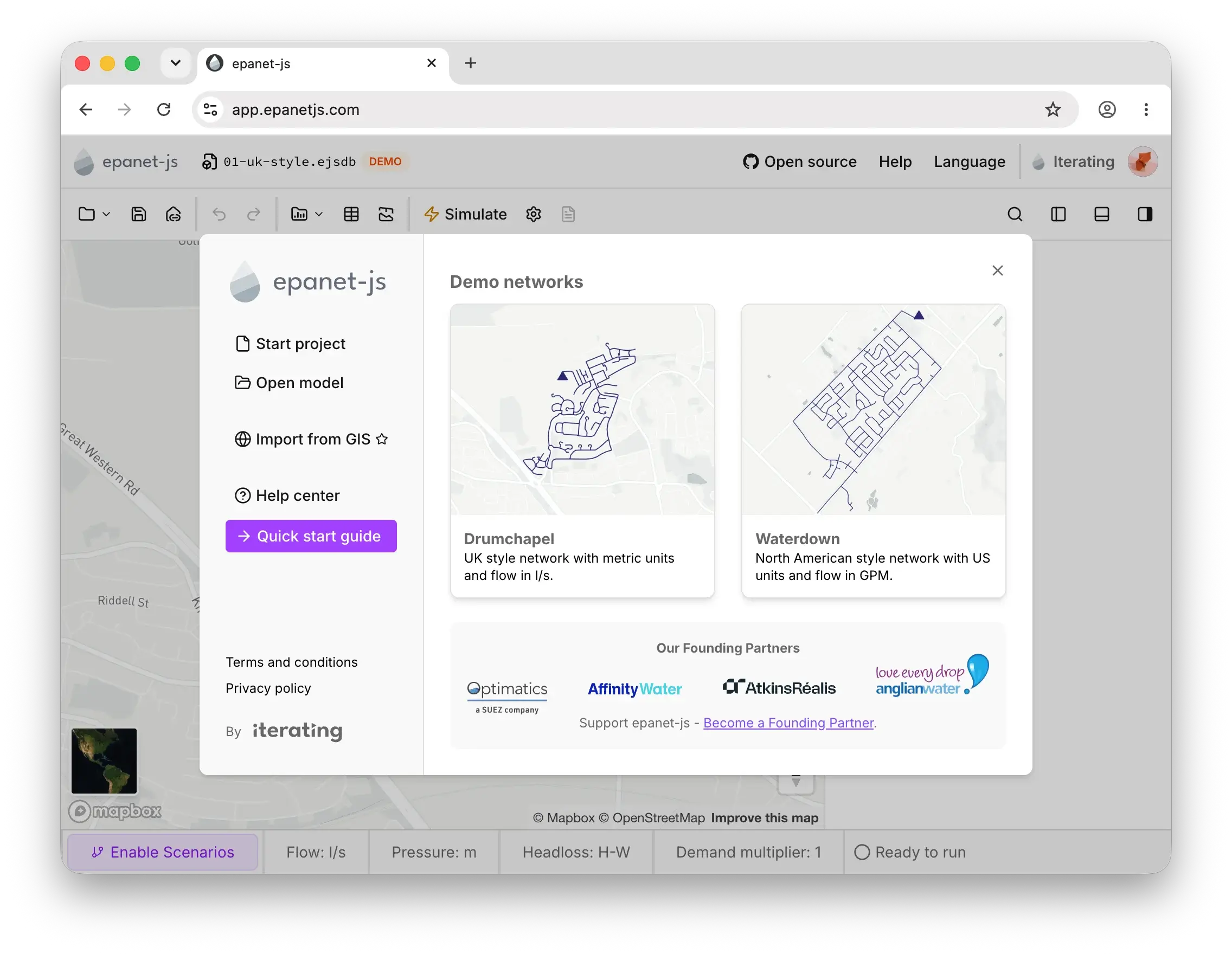
Optimatics, Affinity Water, AtkinsRéalis, and Anglian Water on the welcome screen.
Quick fixes for network review
Network review flags problems in your model: orphan assets, pipes that cross without connecting, assets sitting suspiciously close together, and sub-networks that aren’t tied to a supply. Until now, review just zoomed you to the issue. Fixing it still meant leaving the panel to make the change by hand.
Each of the four checks now suggests a fix you can apply right from the panel: connect assets that cross or sit too close together, or disable orphan assets and sub-networks that aren’t supplied. Accept a suggestion with a click, or use the Enter key to accept it and jump straight to the next one. An issue that’s a false positive can be archived instead of reappearing on every review, and recovered later if you change your mind.
Catching issues before you simulate
Until now, catching an orphan asset or a disconnected sub-network before it caused trouble meant remembering to check network review yourself before hitting simulate.
Before the simulation starts, epanet-js now also runs the orphan assets and connectivity trace checks, alongside the model attribute validation that already ran. If anything turns up, a dialog tells you exactly what: assets that are not connected, sub-networks without a supply, or invalid model attributes. Review the issues in network review, or run the simulation anyway.
The panel got easier to scan at the same time. You can now see the total number of issues in each check from the top level, making it easier to understand how many issues remain in your network.
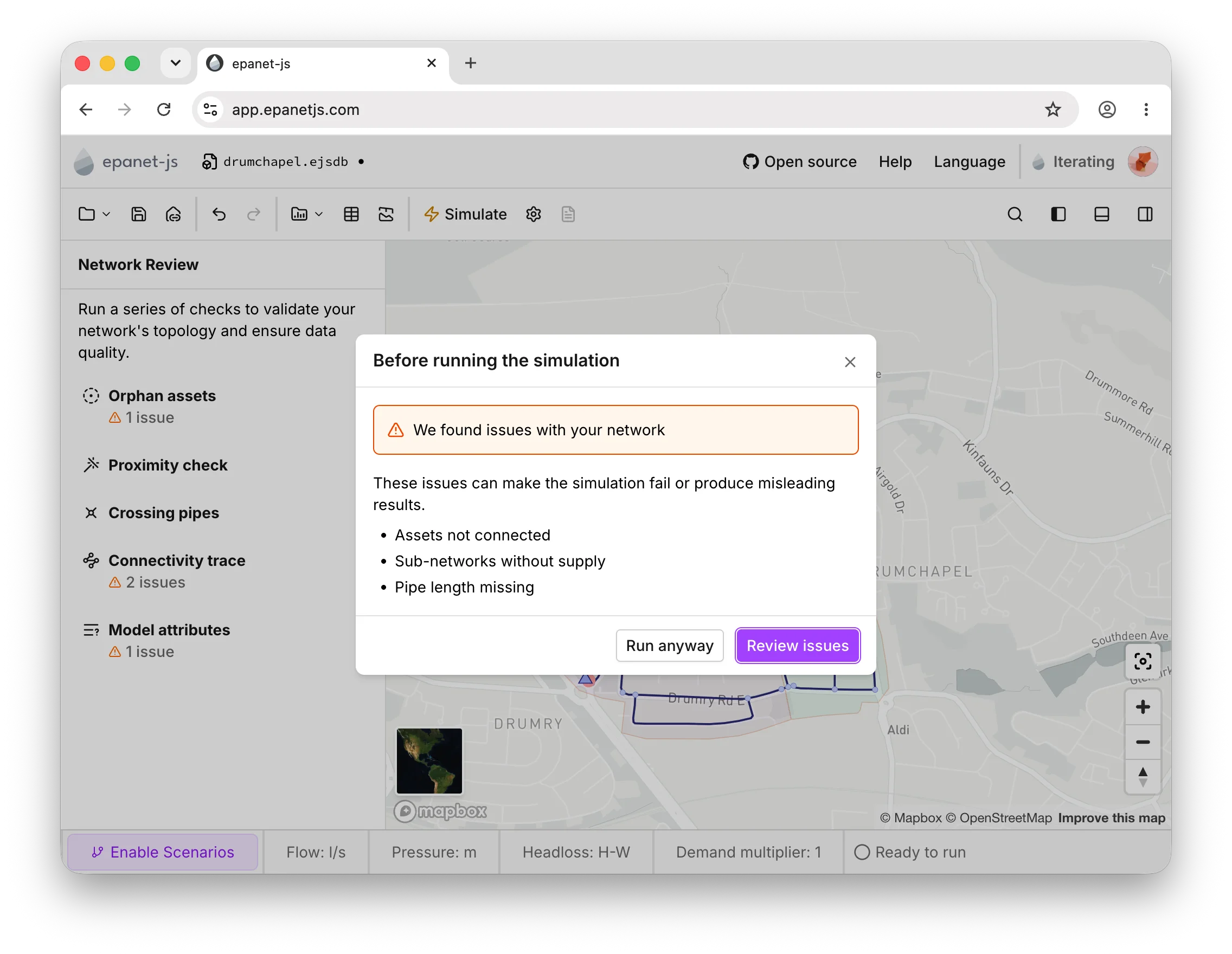
epanet-js now checks for issues before you hit run, and each check in the panel shows its own issue count.
A new help center
Over time, our old help center fell out of sync as the app evolved and legacy pages were left behind. So we rebuilt it from scratch at help.epanetjs.com.
The new site covers all of epanet-js—not just the parts we got around to writing down in the past. It includes a Start Here section for your first session, step-by-step workflow guides (like importing GIS data, drawing models by hand, or running scenarios), and complete reference docs for every setting, curve, and network component.
The bigger upgrade, though, is behind the scenes: documentation is now tied directly into our software build process. Automation keeps the pages in sync whenever new features ship, so the help center actually stays up to date.
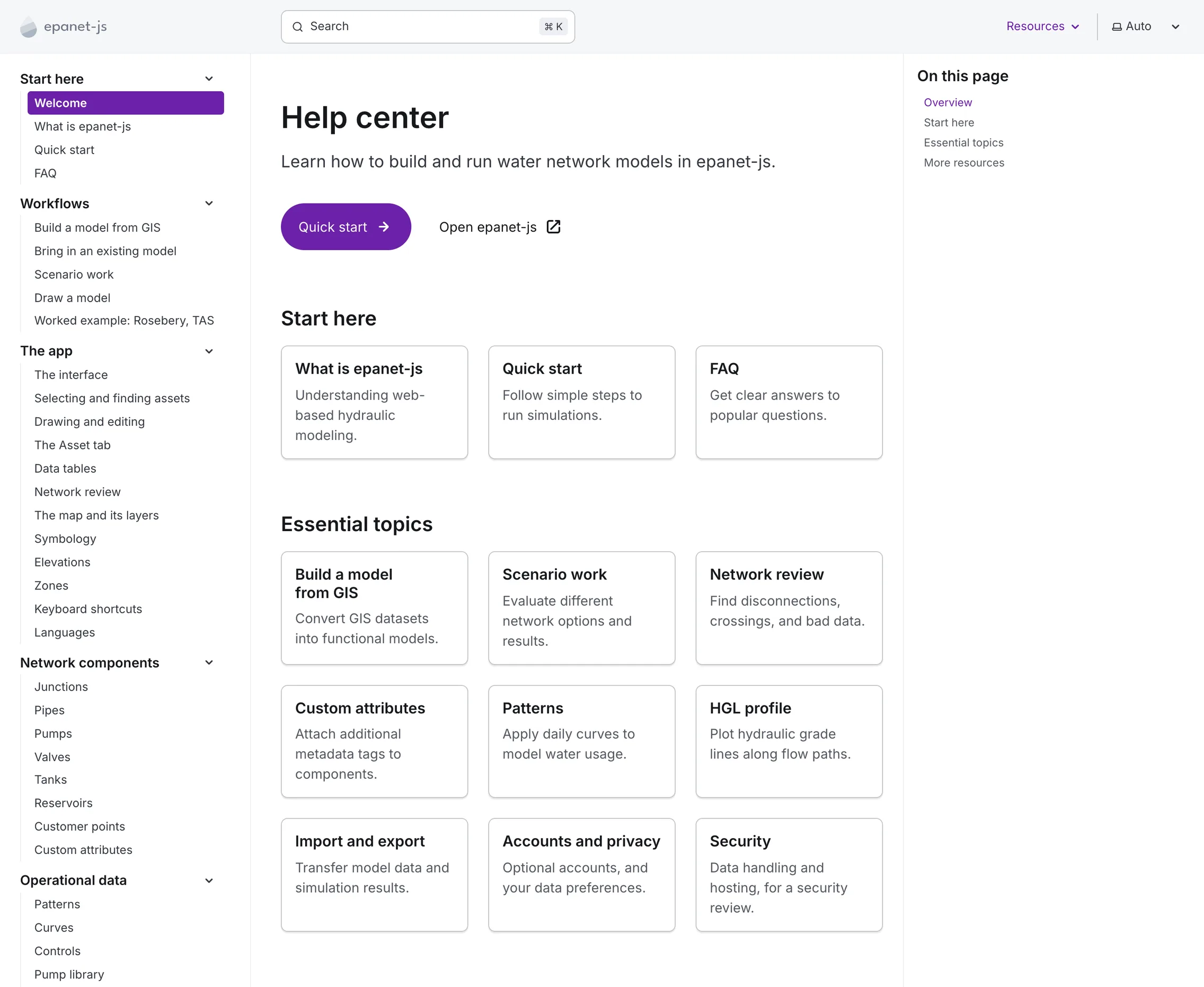
The rebuilt help center at help.epanetjs.com, now covering the whole app.
Import from Synergi
Paid plansSynergi import is currently in private beta, open first to our Founding Partners.
epanet-js can now open Synergi models directly. Drag a Synergi model in, or pick it from the open-file dialog, and it converts the full network topology, including controls, zones, and any custom attributes, into a working model.
We’re working on more control types to bring full compatibility with Synergi models: variable speed pumps, PRVs with remote setpoints, and flow modulating valves. Those come out of the work we started last month to bring Lua into EPANET, and Synergi compatibility will keep improving alongside it.
For now, if something can’t be converted, an import warning tells you how much of the model came across.
Portable pattern and curve libraries
The pipe library, pump library, and demand patterns you build in one project used to stay there. Reusing one in a new project, or handing it to a colleague, meant copying and pasting entries over one at a time.
Curves, pump curves, and patterns can now be exported from their library dialog and imported into another project. Importing merges with what’s already there: identical entries are left alone, entries with the same name but different data are updated, new ones are added, and anything that couldn’t be read is flagged with the affected row numbers so you can fix the source file and try again.
Curve and pump libraries stay separate on purpose: each exports only what’s visible in its own dialog, and importing a curve into the wrong library warns you instead of filing it in the wrong place.
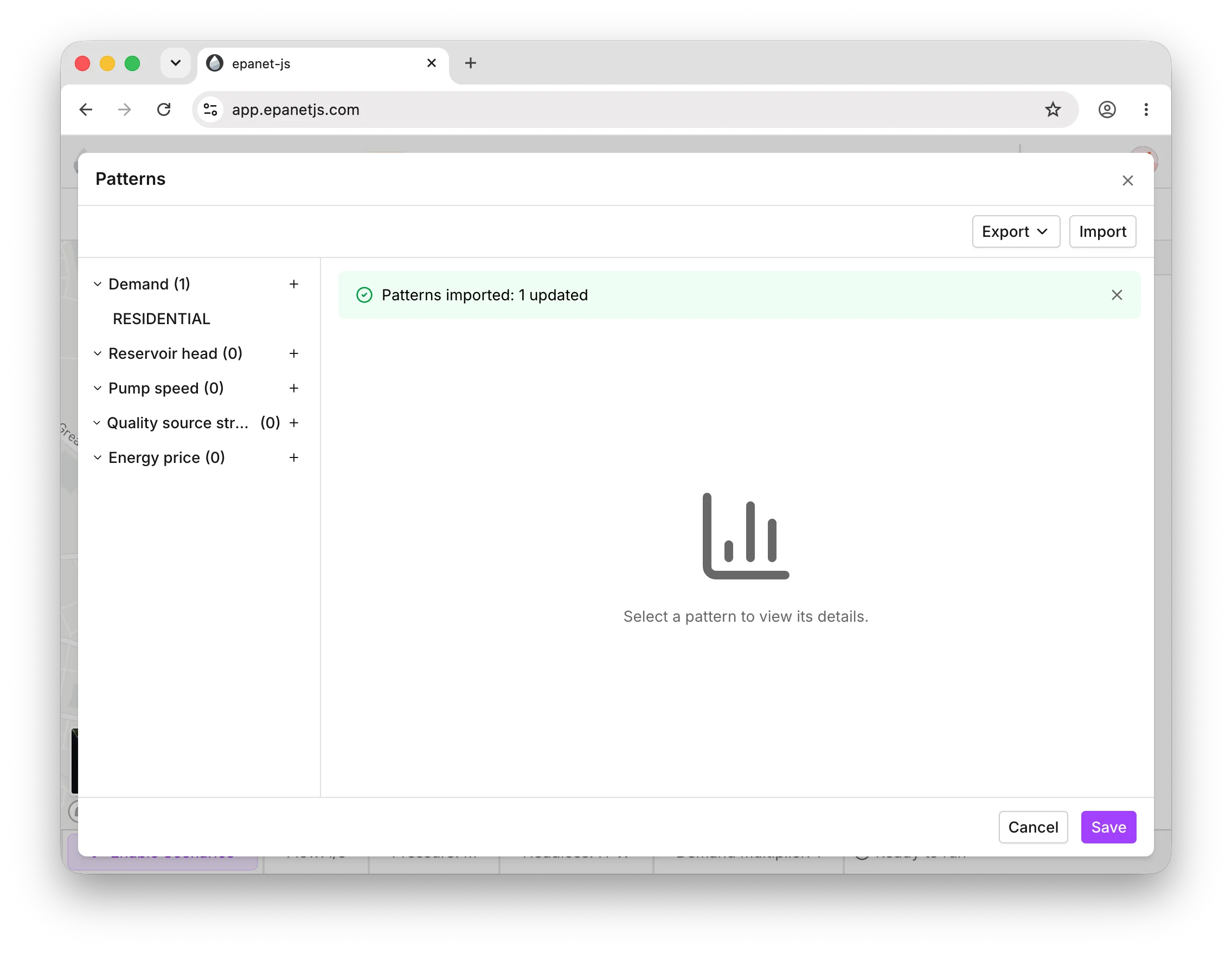
Import a saved pattern or curve library into another project, with a summary of what changed.
Refreshed demo models
The demo networks are often the first model a new user opens, so it’s worth keeping them current. They now use more of what epanet-js can do: zones, pipe material and installation year, pipe library roughness applied as a default, and custom attributes.
The demo models are also where you can try most of the paid features without a subscription, scenarios and custom attributes among them. Building those features into the models means you can see them at work the moment you open one, rather than having to set them up first.
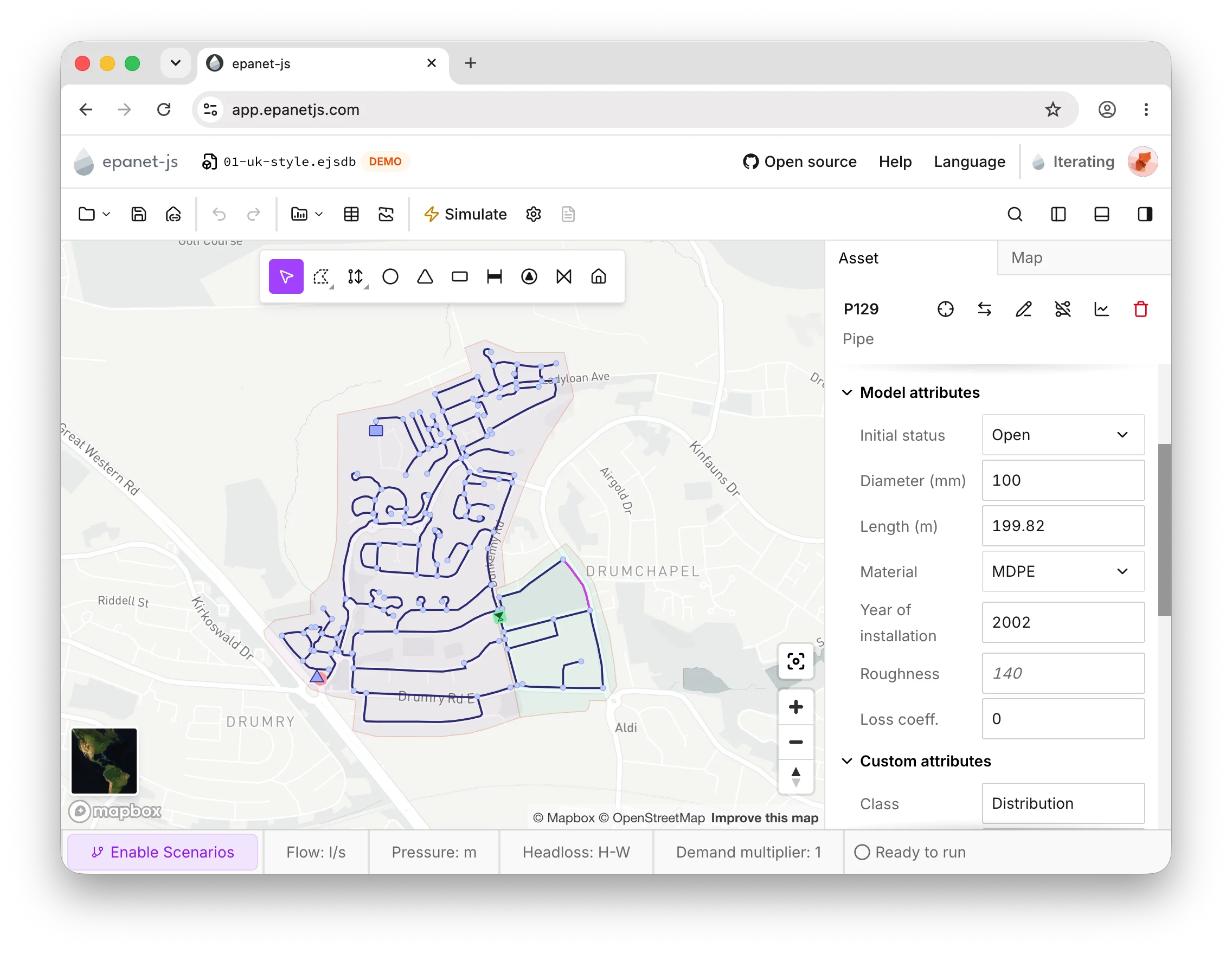
The demo networks now come with zones, custom attributes, and roughness set from the pipe library.
Improvements
-
Multi-tab crash recovery: Recovering a model after a crash now works even when it was open in more than one tab.
-
Data tables remember their state: Sorting, selection, and scroll position now persist when switching between data tables or toggling the bottom dock, for the current session.
-
Faster customer point allocation: Performance improved for larger networks.
-
Cleaner customer point allocation: Inactive pipes and pipes with a missing diameter are now excluded when allocating customer points.
-
Network review scoped to the active topology: Checks now run only over the active topology, ignoring inactive assets.
-
Pump status in the quick graph: The quick graph now shows pump status and relative speed alongside its other series.
-
Opt-in multi-factor authentication: You can now turn on MFA for your account.
-
Upgrade without losing your work: Upgrading or managing billing now opens in a new tab instead of navigating away from your model.
-
REPORT option on by default: New projects and GIS imports now set the EPANET REPORT option to YES by default.
Fixes
Reliability
- The project database now rebuilds itself if the browser evicts it under storage pressure.
- An unsaved indicator now shows when adding zones or customer points, or editing settings.
- The map no longer appears empty when multiple tabs are open.
- Running a simulation no longer fails outright when the network connection is offline.
- epanet-js now falls back to generating files in memory if OPFS isn’t available in the browser.
GIS import and customer point allocation
- Fixed valve geometry truncation when a node carries a z-coordinate when building from GIS.
- Split pipes’ start and end coordinates no longer drift from their start and end nodes’ coordinates when building from GIS.
- Customer point allocation now uses the correct distance on networks using US survey units.
- Adding a new customer point allocation rule now suggests a sensible diameter and max distance instead of an arbitrary default.
- Customer point allocation no longer undershoots when the max-distance rule isn’t a multiple of 30 meters.
- Customer points with no demand value no longer break import.
Topology and drawing
- Snapping a node onto a pipe by dragging now infers the correct active topology.
- Fixed drawing an active link with one inactive node.
- Valve type, valve setting, valve status, and minor loss now use their correctly mapped values from the model build.
- Switching tabs mid-draw now correctly cancels an unfinished HGL profile path instead of leaving it active.
Others
- Projection candidates shown during import now match what’s visible on the map.
- Assets can be searched for within a scenario again.
What’s next
What we’re focused on next.
- More formats into the model build. CAD files (DXF) and CSV files with XY coordinates are next up.
- More of the model in the builder. Customer points and zones brought in directly as part of building the model, alongside further improvements to the builder itself.
- Selection lists. Save a selection of assets and come back to it later.
- Data tables you control. Open and close individual data tables, including opening one to just a selection of assets.
- Saved scenarios. Scenarios kept with the project, so the alternatives you build are still there the next time you open the model.
- Lua controls in epanet-js. The Lua scripting proposal we mentioned last month is now a pull request on EPANET, and we’re bringing Lua into epanet-js so you can write the controls the built-in ones can’t cover. Remote PRVs come first. If you have thoughts on the design, we’d like to hear them.
Support EPANET by using software that supports it back.
— Luke and Sam