Scenarios, patterns, and a Founding Partner
It’s been a massive start to 2026. January was a busy month for the team, delivering not just new features but a fundamental shift in how epanet-js is built and supported.
We are thrilled to announce the release of Scenario Management — our most requested and ambitious feature yet. This release marks the transition of epanet-js into a platform that can support professional, sustainable development while keeping the core experience open and accessible.
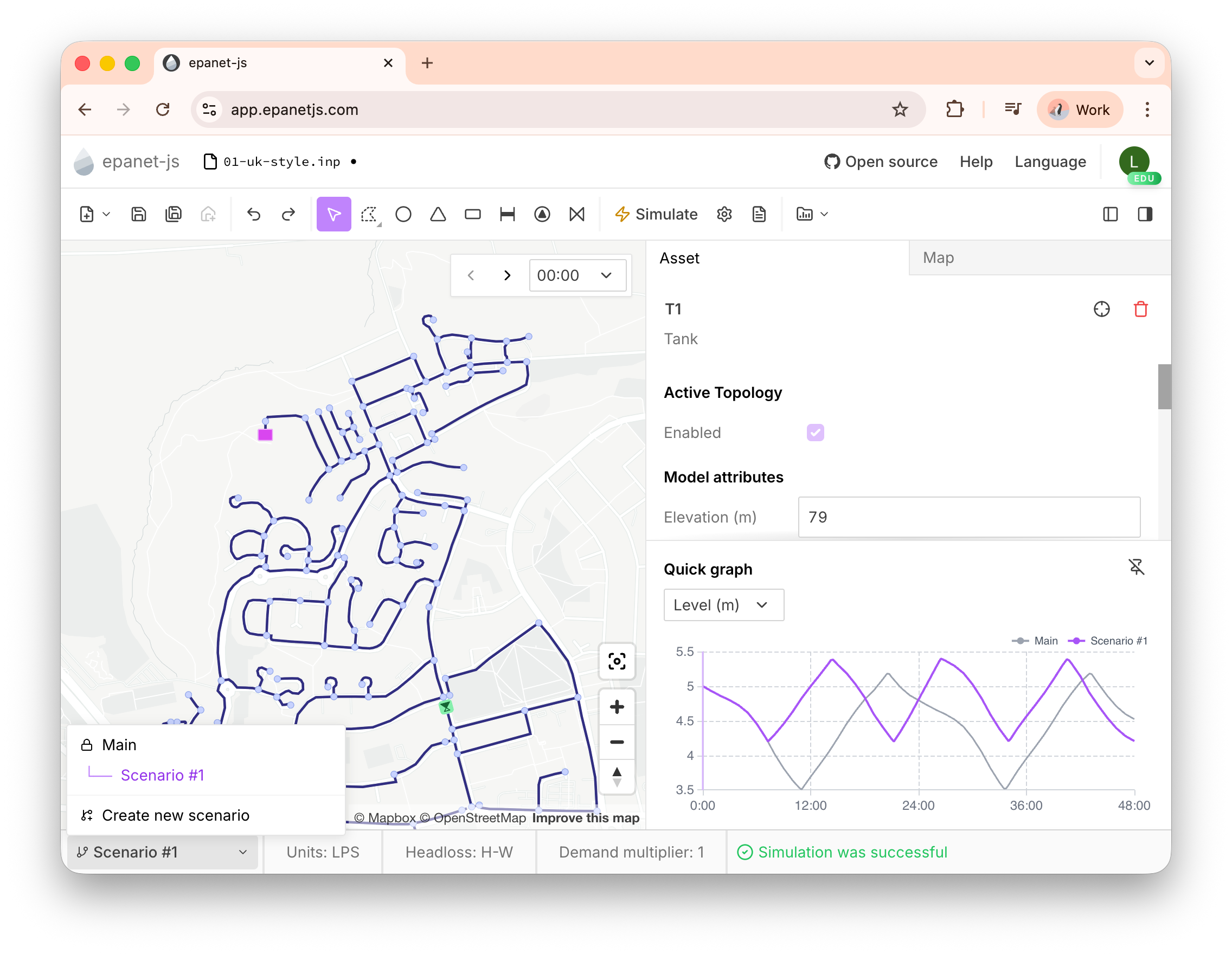
Alongside Scenarios, we’ve added powerful new graphing tools, full demand pattern support, and are proud to announce Optimatics as our first Founding Partner.
Introducing Scenario Management
We’ve just released the first version of Scenario Management in epanet-js. This feature allows you to explore changes to your network and see how your “what-if” ideas affect your model results without the mess of duplicating files.
How it works
When you enable scenarios, your main model becomes the “Main” scenario and is locked to preserve your history. You can then create child scenarios to test alternatives. From within a scenario, you can change parameters, draw new geometries, and adjust controls.
We’ve designed the interface to make changes obvious:
- Visual tracking: If you change an attribute (like pipe diameter), an indicator (a vertical purple line) appears next to that attribute. Hovering over it shows the original value, so you never lose track of what changed.
- New assets: Newly drawn assets also get a purple line indicator across their name and type in the panel.
- Comparison: When you run a simulation, the quick graph will display two lines —one for the current scenario and one for the Main scenario— making comparisons instant.
Pro tip: Use the keyboard shortcut ‘Y’ to toggle back and forth between your current scenario and the previous one. It’s incredibly useful when visualizing pressure maps to spot differences instantly.
The future of scenarios
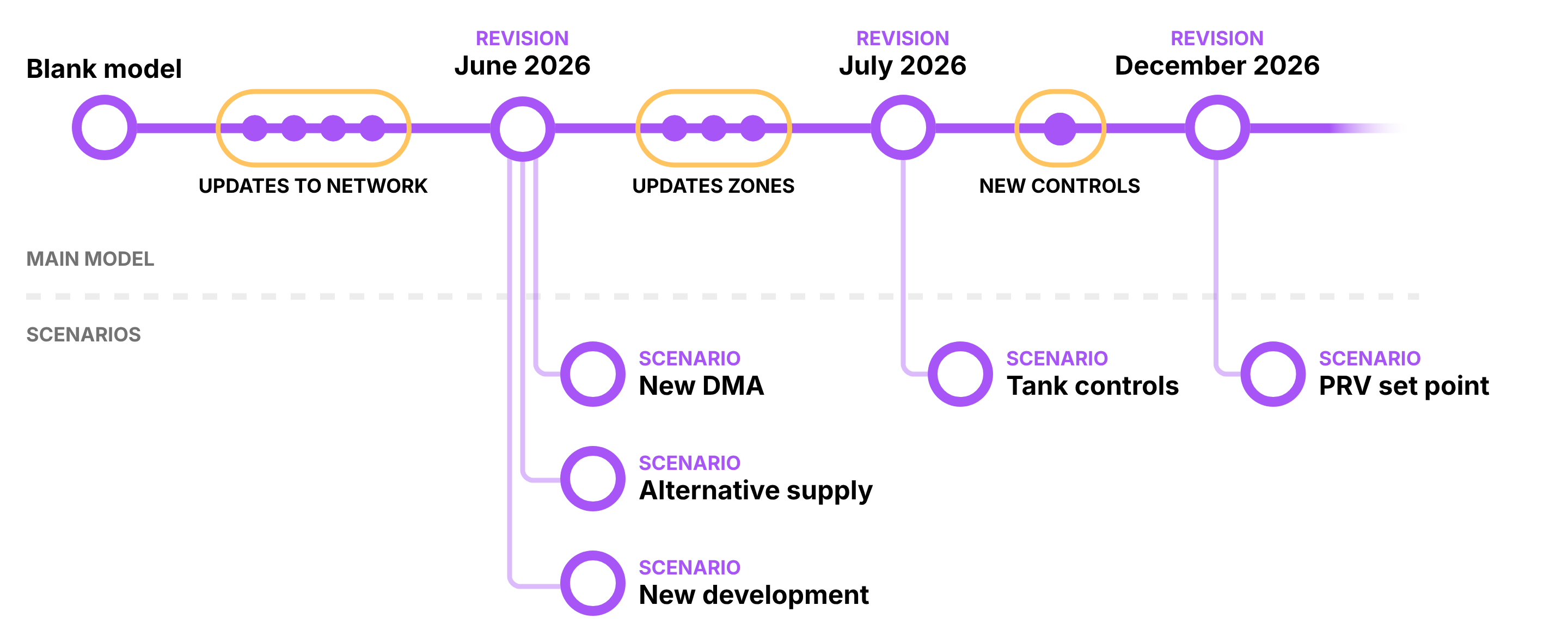
This release is just the beginning. We have an ambitious plan to combine the best aspects of existing implementations without the headaches of broken inheritance or duplicated files.
We’ve published a detailed request for comments (RFC) outlining exactly how we expect this to work. It’s a deep dive, but if you care about how scenarios should function, grab a coffee and read the full plan here. We want your feedback to shape this feature.
Supporting the project
Scenario Management is our first exclusive feature for paid plans.
- Commercial use: If you are using epanet-js for professional work, please consider purchasing a Pro Plan. This unlocks scenarios, gets you priority support, and ensures the project remains sustainable.
- Personal use: Want to test the feature, learn, or use it for non-commercial projects? You can purchase a Personal License ($100/year).
- Students & educators: If you sign up using a valid university (.edu or equivalent) email address, you get automatic, free access to all paid features, including scenarios. You can start exploring straight away.
Welcome, Optimatics!
Over the last seven months, we’ve been open about one thing: we cannot build the future of hydraulic modeling alone. We need the wider ecosystem —utilities, modelers, and forward-thinking companies— to help us build tools that are trustworthy and easier to use.
That is why we are genuinely proud to share that Optimatics has joined us as our first Founding Partner.

For 30 years, Optimatics has been helping utilities get more value out of their models through optimization and better decision-making. As a Founding Partner, they will work closely with Iterating to pressure-test ideas, shape the roadmap, and ensure epanet-js evolves to meet real-world needs.
We are building epanet-js in the open because we want it to succeed for the whole community, not just those with the biggest budgets. Having Optimatics on board makes that goal much more achievable.
Join the Founding Partner Program
We are establishing a small group of five Founding Partners to help steer the development of epanet-js. These partners get direct access to the product team, early access to features, and unlimited licenses for their organization.
There are 4 spots remaining. If your organization relies on hydraulic modeling and wants a direct line to the team building the next generation of tools, read more about the program in our Help Center.
Quick graphs
To make exploring Extended Period Simulation (EPS) results easier, we’ve added a Quick Graph directly to the asset panel.
Simply scroll to the bottom of the asset tab to see how values change over time. You can hover to inspect results at any timestep, click the graph to jump the simulation to that moment, and switch between attributes (like Flow or Head) via a dropdown.
You can also lock the graph in place, allowing you to click across different pipes or junctions on the map while keeping the time-series context visible. It is a great complement to the new EPS support.
Patterns and demands
We are continuing to chip away at the core features needed for dynamic modeling.
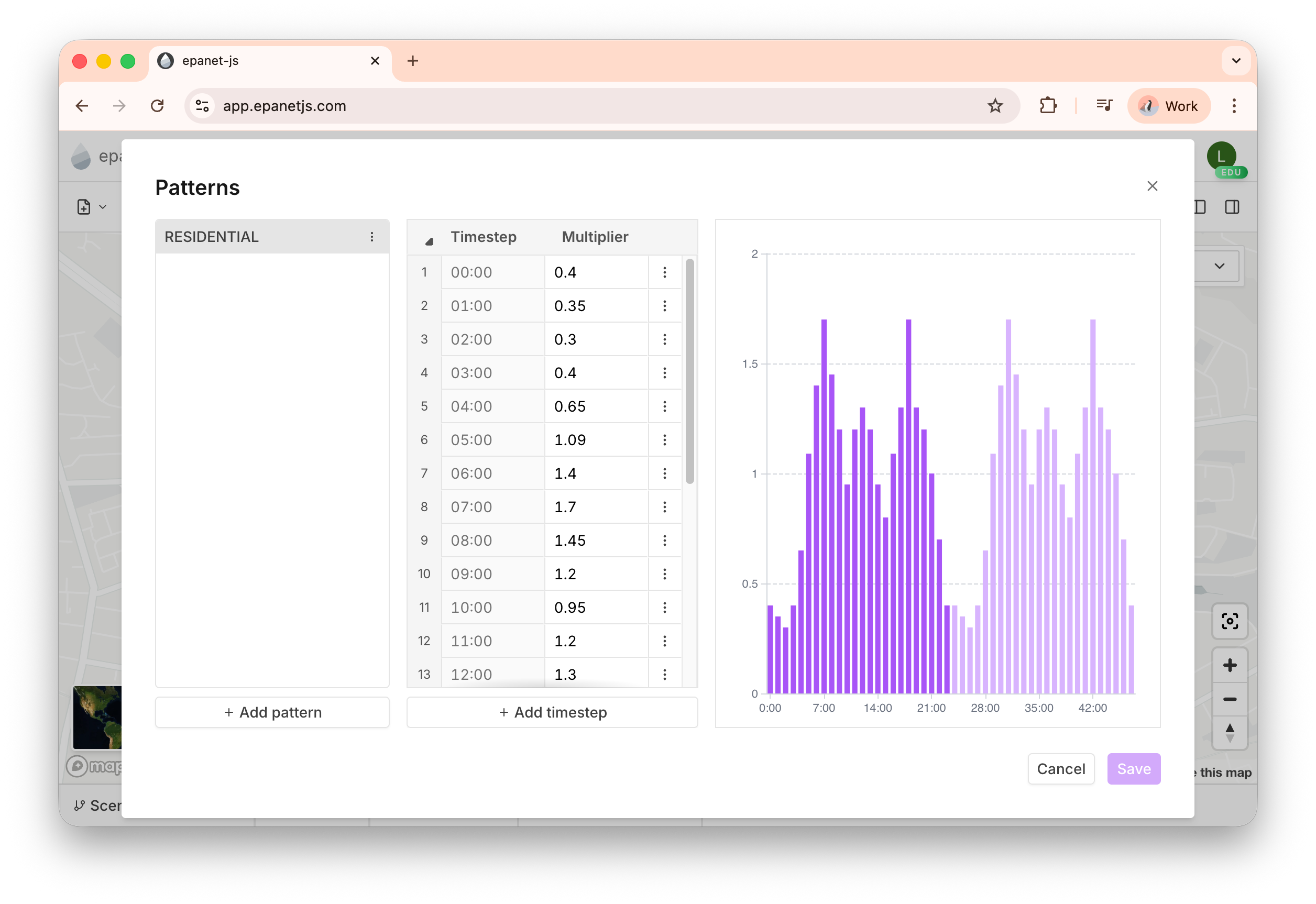
Pattern library
You can now create, modify, duplicate, and rename demand patterns directly in the app. This makes managing time-varying demands seamless without needing to hack the INP file manually.
Junction demands
Editing demands on junctions is now fully supported. You can modify the base demand, assign a pattern from your library, and attach multiple demand categories to a single junction.
Customer point patterns
When importing customer points from GIS, you now have the option to assign a demand pattern during the import process. This allows you to accurately represent time-varying consumption right from the start of your model build.
Community and content
Webinar recording available
This month, we ran a deep-dive technical workshop showing how to go from raw GIS data to a fully working EPS model. We built the “Roseberry” network live, cleaned it up, allocated demands, and ran a fire flow analysis.
If you missed it, the full recording is available on YouTube. We’ve also published a new worked example in the Help Center that includes the tutorial text and the downloadable files so you can build the model yourself.
2,500 followers
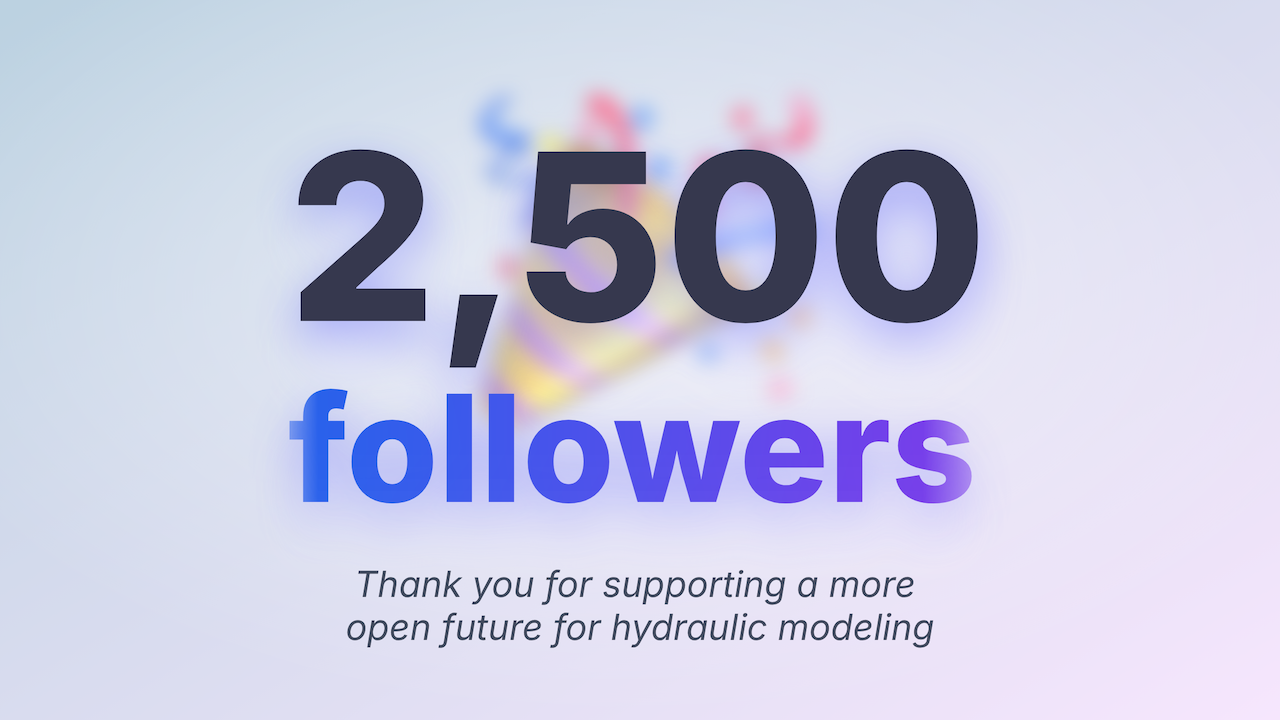
In just six months, over 2,500 people have followed Iterating on LinkedIn. This incredible growth tells us there is a real appetite for change in hydraulic modeling. To everyone who has followed, shared, or contributed —thank you.
epanet-js en español
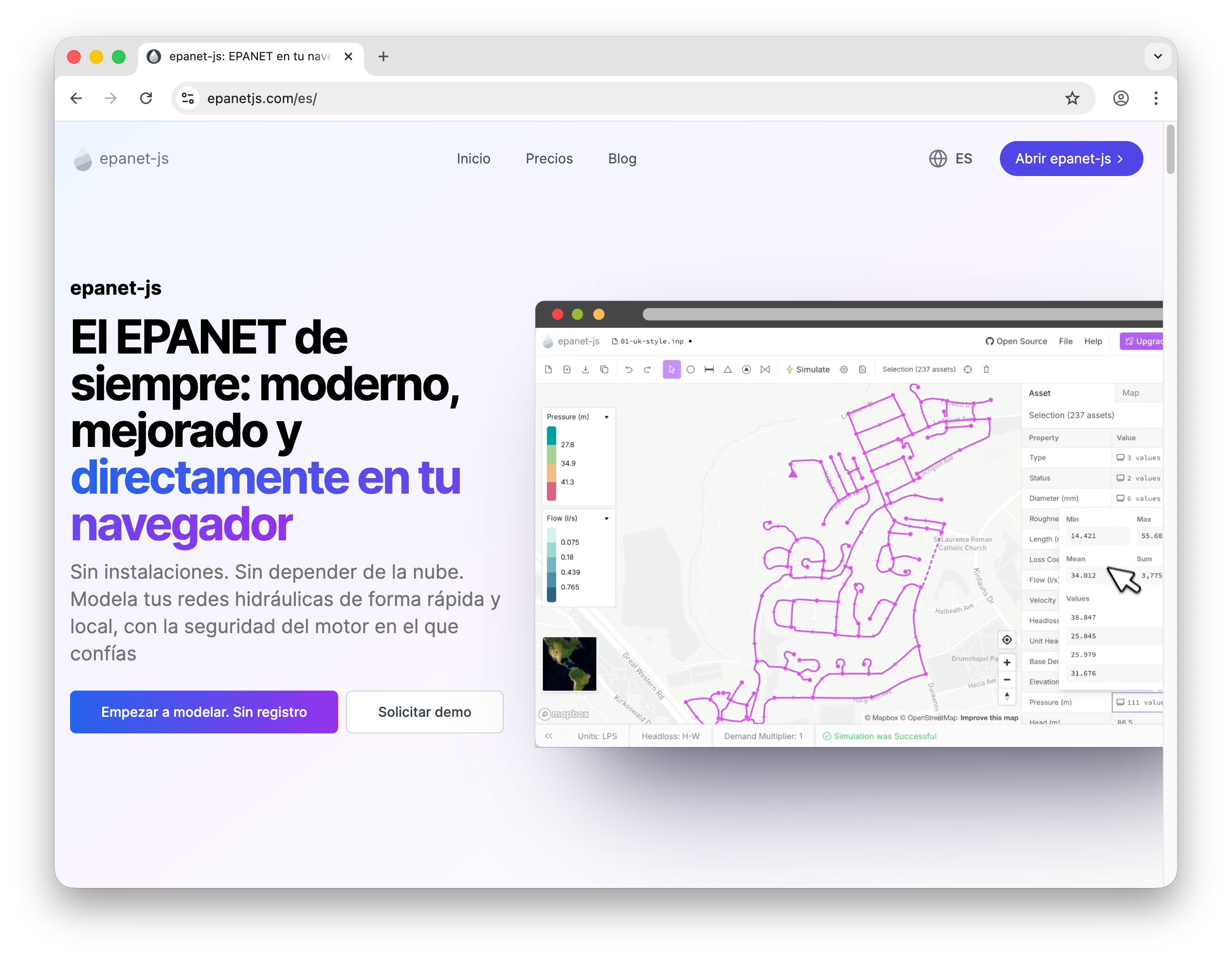
We’ve upgraded our website (migrating to Astro for better performance) and officially launched a Spanish version of the site. epanet-js is now bilingual, making our marketing and documentation accessible to a much wider audience. ¡Bienvenidos!
Improvements and fixes
We also shipped a significant number of quality-of-life updates:
- Auto-open review: The Network Review tool now opens automatically after a GIS import, reminding you to clean up your topology immediately.
- Reservoir elevations: We now correctly save and recover reservoir elevations in the INP file. Additionally, if you import a reservoir from GIS without a head value, we automatically infer the head from the elevation data.
- Keyboard navigation: Use
Shift + Left/Right Arrowto move forward and backward in time on the map. - Case-insensitive imports: Fixed a bug where INP section names were case-sensitive, ensuring smoother imports from other software.
- Tank units: Fixed a display issue where tank levels were shown in PSI instead of feet/meters.
Closing
This was a massive month, but we are just getting started with 2026. The introduction of Scenarios and our partnership with Optimatics sets the stage for a year of rapid growth and professional-grade features.
If you haven’t already, please check out the Founding Partner program or give our new Scenario tools a spin.
Support EPANET by using software that supports it back.
— Luke and Sam