Security and privacy by design

Your data, your rules. We give you absolute control over how your customer information and infrastructure data are kept secure.

Find your setup

From keeping files completely on your local machine to running everything inside your own corporate network, select the option that fits your team's security and compliance policies.

Run on your machine

By default, your hydraulic modeling projects are created, run, and saved entirely on your machine. Nothing is ever uploaded to our servers.

Project files stay on your local drive

An epanet-js model is simply a file on your hard drive or network drive, just like the project files used in other traditional modeling software packages like InfoWorks, WaterGEMS and InfoWater.

While the app loads over HTTPS, your model stays put and simulations run entirely in your browser. Neither your network nor customer data ever touches our servers—once loaded, you can even disconnect from the internet and work completely offline.

Share models the way you already do

Email a model to a colleague, put it on a shared drive, or copy it to a USB stick. Whoever receives the file opens it and picks up where you left off.

No new data pathways means your current company security policies apply automatically.

Open source you can inspect

You don't have to take our word for any of this. The epanet-js source code is public from day one under the Functional Source License and becomes fully open source (MIT) after two years.

Anyone can review how the application handles your data. Explore the repository to audit the code yourself.
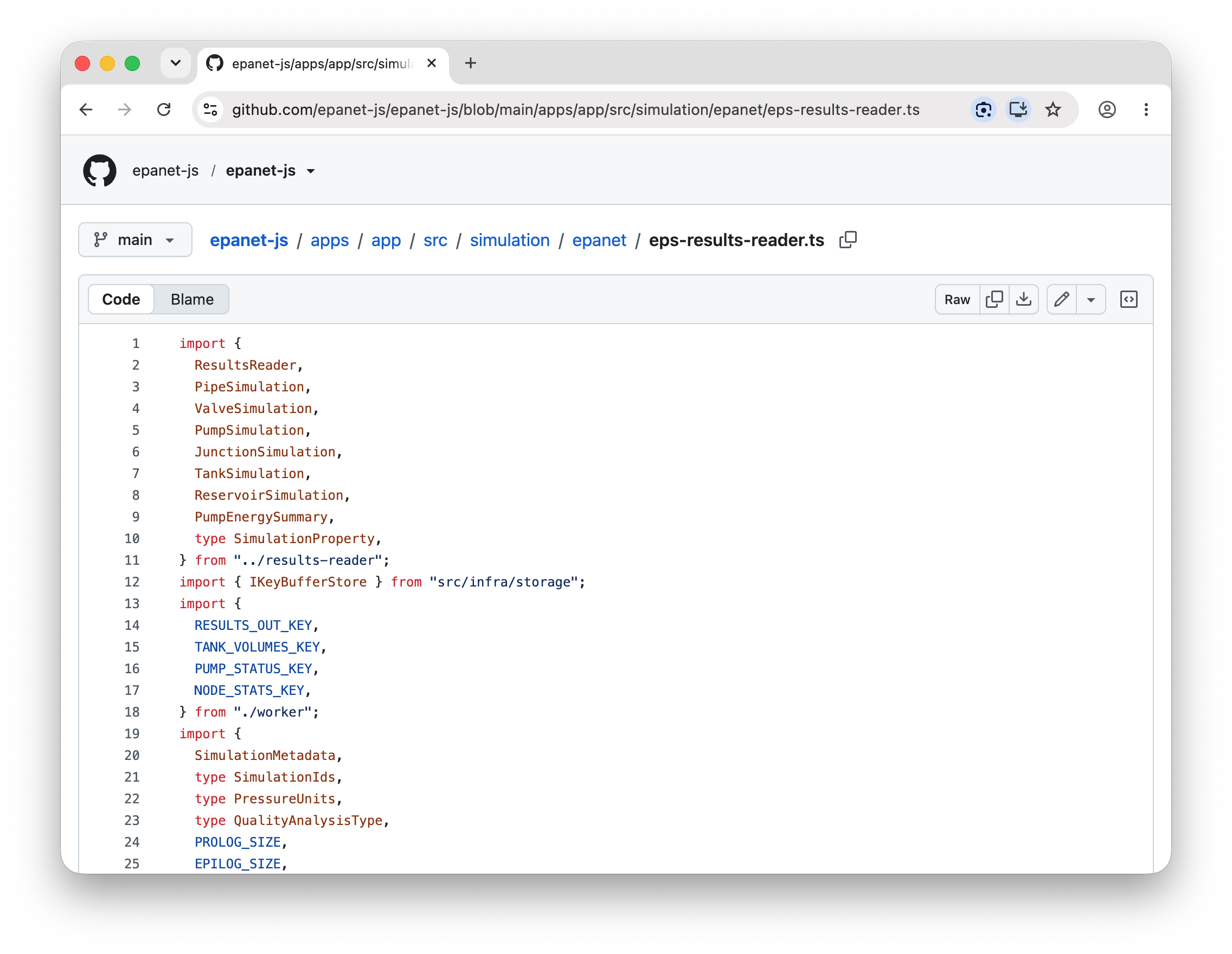
The public epanet-js source repository on GitHub.

No cloud needed? You’re set.

Cloud features are entirely opt-in on a per-project basis. If you choose never to enable them, your infrastructure and customer data remain 100% isolated on your machine. If you are looking for shared cloud workspaces or a dedicated enterprise deployment, keep reading to see how they work.

Share models through the cloud

Teams

When a team wants one model available across devices and people, cloud projects keep every copy in sync. Turning on the cloud for one project changes nothing for the rest, which remain entirely local.

One synced source of truth

A cloud project has a single source of truth. Every device works against the same copy, so nobody hunts through email threads for the current version of the model.

By default, the sync point is our secure, managed cloud, allowing you to choose the data region that meets your local compliance requirements. For enterprise teams, you also have the option to host and control your own data entirely.

Select your data region

You decide which geographic region handles your data. When a user uploads or syncs a model, that data remains entirely within their selected region.

This guarantees your team strictly complies with local data residency and privacy mandates.

Workspace roles control who can open it

Models stored in the cloud belong to your workspace, and access to them is explicit. Every member has a role: editors can change a model, viewers can only read it.

Invite a colleague by email, change their role, or remove them from the workspace, and their access changes with it. Nobody outside your workspace can see your network.

Encrypted in transit and at rest

Data security is enforced at every stage. Everything moving between your machine and epanet-js travels over HTTPS and is encrypted with TLS.

For cloud projects, any model data stored on our servers is fully encrypted at rest using industry-standard encryption (AES-256). This covers both the application itself and any project data you choose to sync.

Bring your own storage

Enterprise

Retain absolute ownership of your data without the overhead of hosting software. Under this enterprise option, we host and manage the application, but your project files are written directly to your organization's own cloud object storage—such as Amazon S3, Azure Blob Storage, or any S3-compatible service.

To configure your own storage layer, email us at sales@epanetjs.com or book a call.

We host the app, you hold the data

You get a fully managed web application that is kept up to date by us, without your team needing to spin up or maintain servers. All model reads and writes route directly to storage environments you control.

Because the data layer lives inside your own corporate cloud account, data retention, geographic residency regions, and access policies are set entirely by you. We operate the application interface; we never hold your data.

Run it on-premises

Enterprise

For total data sovereignty and air-gapped environments, the entire epanet-js stack—both the application and the data layer—can be deployed directly inside your corporate infrastructure. This option is built for organizations that require complete network isolation.

To discuss an on-premises deployment for your team, email us at sales@epanetjs.com or book a call.

Total control behind your firewall

The platform runs entirely on your own servers, behind your security perimeter, and strictly under your own IT governance.

An on-premises deployment guarantees that all application traffic, hydraulic models, and private customer data remain fully self-contained within your network boundary, with zero external data dependencies or required internet access.

Frequently asked questions

Can you complete our organization's security questionnaire?
We complete security questionnaires for our Enterprise customers.

Free, Pro, and Teams plans are self-service, and we expect your team to run its own internal security review. To make that as easy as possible, we maintain a generic security questionnaire with answers to the questions utilities and engineering firms have put to us before, so you can fill out your own internal forms quickly. If a question isn't covered, email us or book a call.

If epanet-js runs in a web browser, how is my data not uploaded to the internet?
epanet-js is built local-first. The browser acts as a secure runtime, much like a desktop operating system: when you load the app over HTTPS, the entire application, including the EPANET simulation engine compiled to WebAssembly, downloads to your browser cache and runs on your machine's own CPU and memory inside the browser sandbox, at near-native desktop performance.

Project files are read from and written to your hard drive or network drive through the browser's local file access APIs, and simulation results are saved locally. Neither your infrastructure data nor your customer data leaves your computer. It also saves bandwidth, since heavy model files are never streamed, uploaded, or downloaded. Once the page has loaded, you can disconnect from the internet entirely and keep working.

When I open a model, does the web browser get access to my entire hard drive?
No. epanet-js uses the browser's File System Access API. When you open a project, the browser shows the native system file picker, and the app is granted read and write access only to the specific file or folder you choose. It cannot see the rest of your hard drive, your operating system, or your network shares.
Do you use my hydraulic models or customer data to train AI models?
No. We never use your project files, network layouts, or customer data to train machine learning or AI models. For local projects we couldn't even if we wanted to: the data never reaches us. For cloud and enterprise projects, your data belongs to your organization and is treated as confidential.
Which data regions are available for cloud-synced projects?
We support data regions across the US, Europe, and Asia-Pacific. When you set up a cloud workspace, you choose the region that fits your regulatory requirements, such as GDPR or regional critical-infrastructure mandates. Your data stays pinned to that region and is never replicated or routed across geographic boundaries.
Does epanet-js support multi-factor authentication (MFA / 2FA)?
Yes. We use Clerk for identity management, which supports multi-factor authentication with authenticator apps (Google Authenticator, Microsoft Authenticator, 1Password) and SMS verification codes. Workspace administrators on the Teams plan can also enforce MFA across the whole team, so every member has it in place before accessing shared cloud projects.
Do you support single sign-on (SSO) for managing team access?
Yes, on our Enterprise configurations (bring your own storage and on-premises). We support identity federation over SAML 2.0 and OIDC, so your IT department can connect epanet-js to your corporate identity provider, such as Microsoft Entra ID, Okta, Ping Identity, or Google Workspace, and manage user provisioning, workspace roles, and access control through your existing workflows.
What cloud object storage providers do you support for the "Bring your own storage" plan?
The storage layer is provider-agnostic. We support any standard cloud object storage or S3-compatible service, including Amazon S3, Azure Blob Storage, Google Cloud Storage, and self-hosted options such as MinIO. Your IT team keeps full control of the encryption keys and access policies on the storage buckets.
How do we receive software and security updates if we deploy on-premises?
We work with your IT infrastructure team to set up an update path that fits your network governance. That can range from automated container registry updates to manual, air-gapped package transfers if your network has no external internet connectivity.

Found a security issue?

We take security reports seriously. If you believe you've found a vulnerability, email us and we'll work with you to investigate and resolve it.

For questions about how we handle your data, see our Privacy Policy and Cookies Policy.

Questions about security or compliance?

Talk to us about security questionnaires, customer-managed storage, or an on-premises deployment. We're glad to help.